Request a Demo
  • Platform
    • Donations
    • Campaigns
    • Events
    • eCards
    • CRM
  • Features
  • Integrations
  • Support
  • Company
  • Platform
    • Donations
    • Campaigns
    • Events
    • eCards
    • CRM
  • Features
  • Integrations
  • Support
  • Company
Request a Demo

Donations

  • Creating On-Page Donation Forms
  • How to configure a sponsorship opportunity donation form
  • How to setup a variations donation form
  • Overview of Donation Forms on LevCharity

Crowdfunding Campaigns

  • Creating a Crowdfunding Campaign at LevCharity
  • Setting Up Crowdfunding Campaigns
  • Crowdfunding Sign-Up Procedure
  • Creating Crowdfunding Emails on LevCharity Platform
  • Exporting Data for Team Campaigns

Integrations & Settings

  • Setting Up Donation Forms in Plugin
  • Crowdfunding Account Sign-Up Settings

Events

  • Creating Events Using the Events Module
  • Creating and Managing Events in the Back-End System
  • Creating an Event Using the OLD Template in Fundraise
  • Creating and Managing Events Using Single and Multiple Templates
  • Setting Up Emails for Events
  • Exporting Event Data from LevCharity Platform
  • Creating Event Digital Ads

E-Cards

  • Creating E-Cards
  • Managing E-Cards
  • Setting Up E-Card Email Notifications

Fundraising Campaigns

  • Creating a Fundraising Campaign on LevCharity Platform
  • Standard Operating Procedure for Managing Fundraising Campaigns

Configure

  • Setting Up Donation Receipts
  • Adding Sponsorship Equipment Pieces to Your Site

Transactions

  • Managing Transactions in the Admin Back-End
View Categories

Exporting Data for Team Campaigns

2 min read

Objective #

This SOP outlines the steps to export data related to team campaigns or crowdfunding campaigns on the LevCharity platform.

Key Steps #

Step 1: Access the Export Section 0:13

  • Navigate to the backend of the LevCharity platform.
  • Locate and select the ‘Exports’ option.

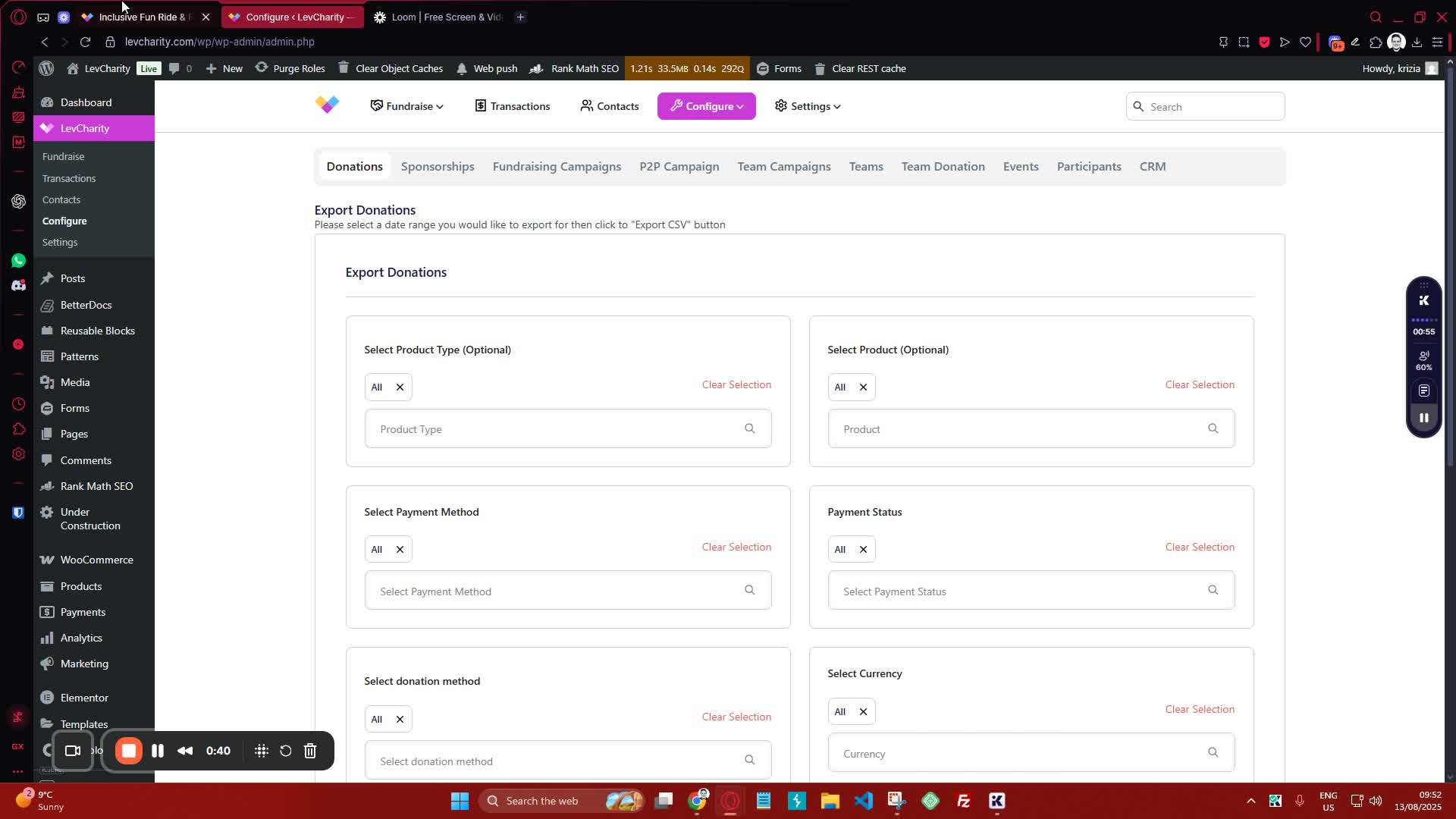
Step 2: Choose the Type of Export 0:41
generated-image-at-00:00:41
  • Identify the types of exports available:
    • Donations
    • Sponsorship from fundraising
    • P2P (Peer-to-Peer)
  • Select the appropriate export type for your needs.

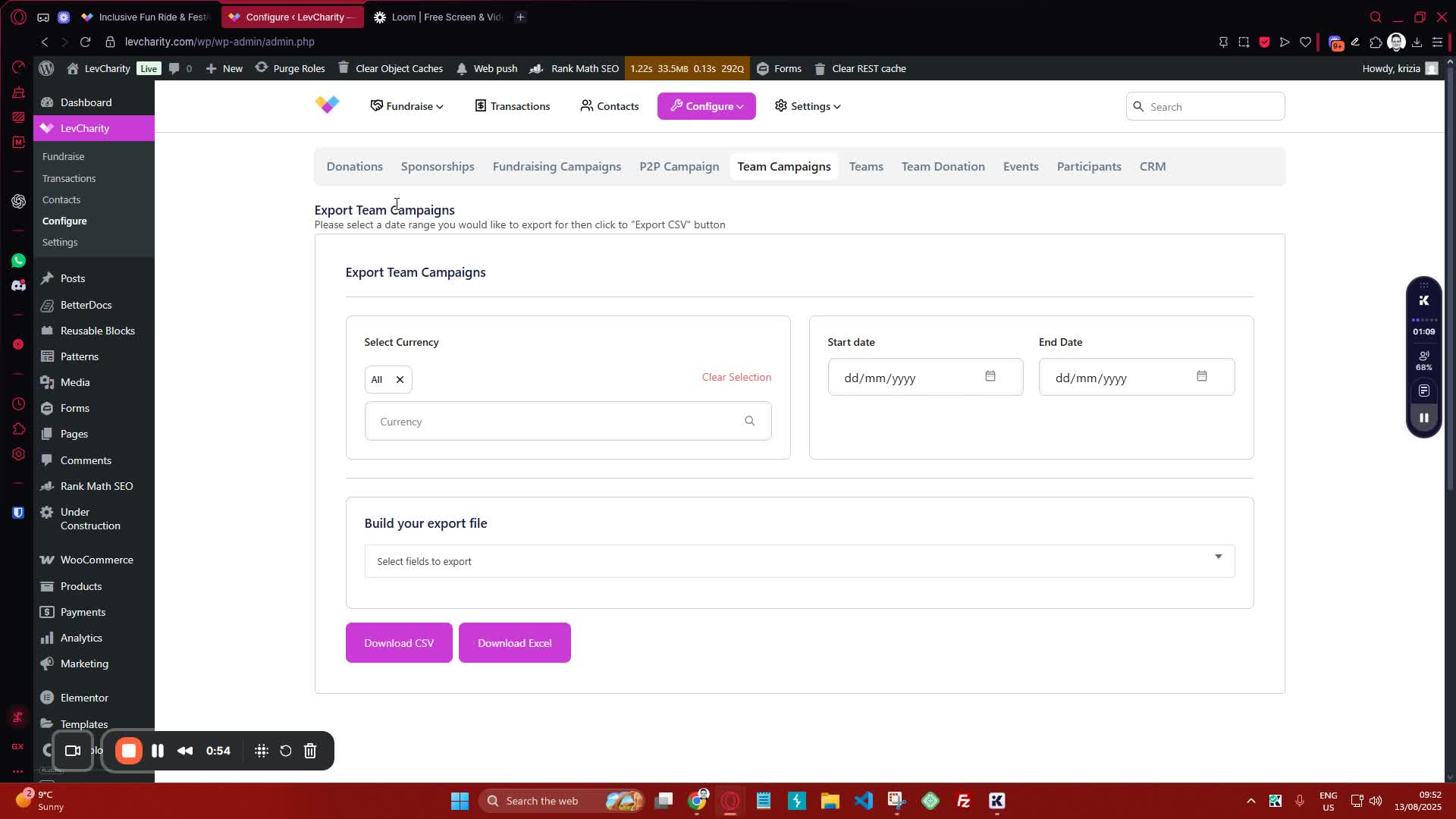
Step 3: Export Active Campaigns 0:55
generated-image-at-00:00:55
  • To export all active campaigns:
    • Select the option for exporting active campaigns.
    • This will include details such as:
      • Creator
      • ID
      • Name
      • URL
  • Download the data in your preferred format.

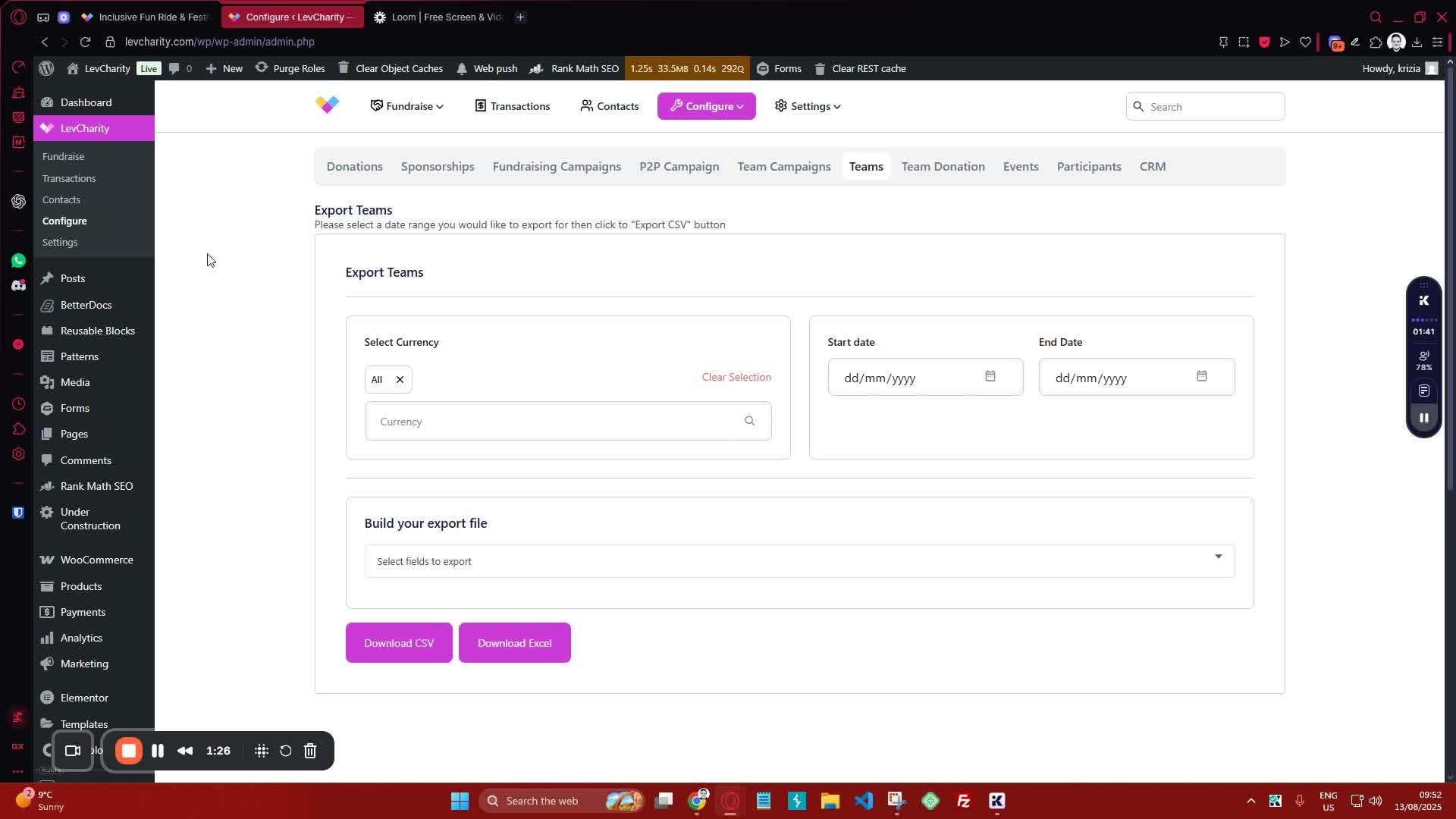
Step 4: Export Team Information 1:27
generated-image-at-00:01:27
  • To export team details:
    • Choose the option to download teams.
    • This will include:
      • Captain name
      • Currency status code
      • Team name
      • Team ID
  • Download the data in Excel or CSV format.

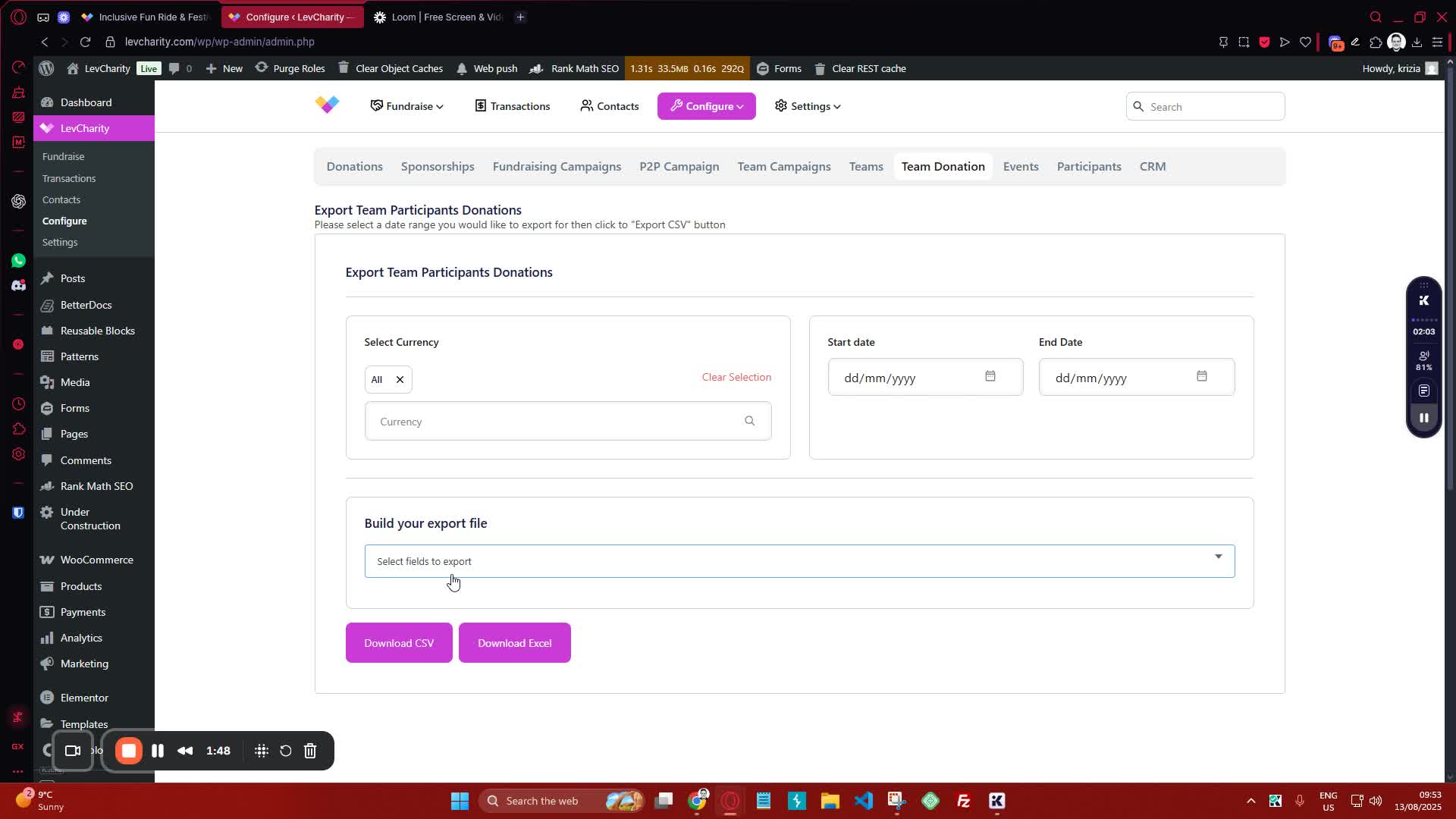
Step 5: Export Team Donations 1:49
generated-image-at-00:01:49
  • To export all donations related to teams:
    • Select the option for team donations.
    • This will provide information on:
      • Who the donation was made to (runner or campaign URL)
      • Whether it was for a team or participant.

Step 6: Export Participant Information 2:21
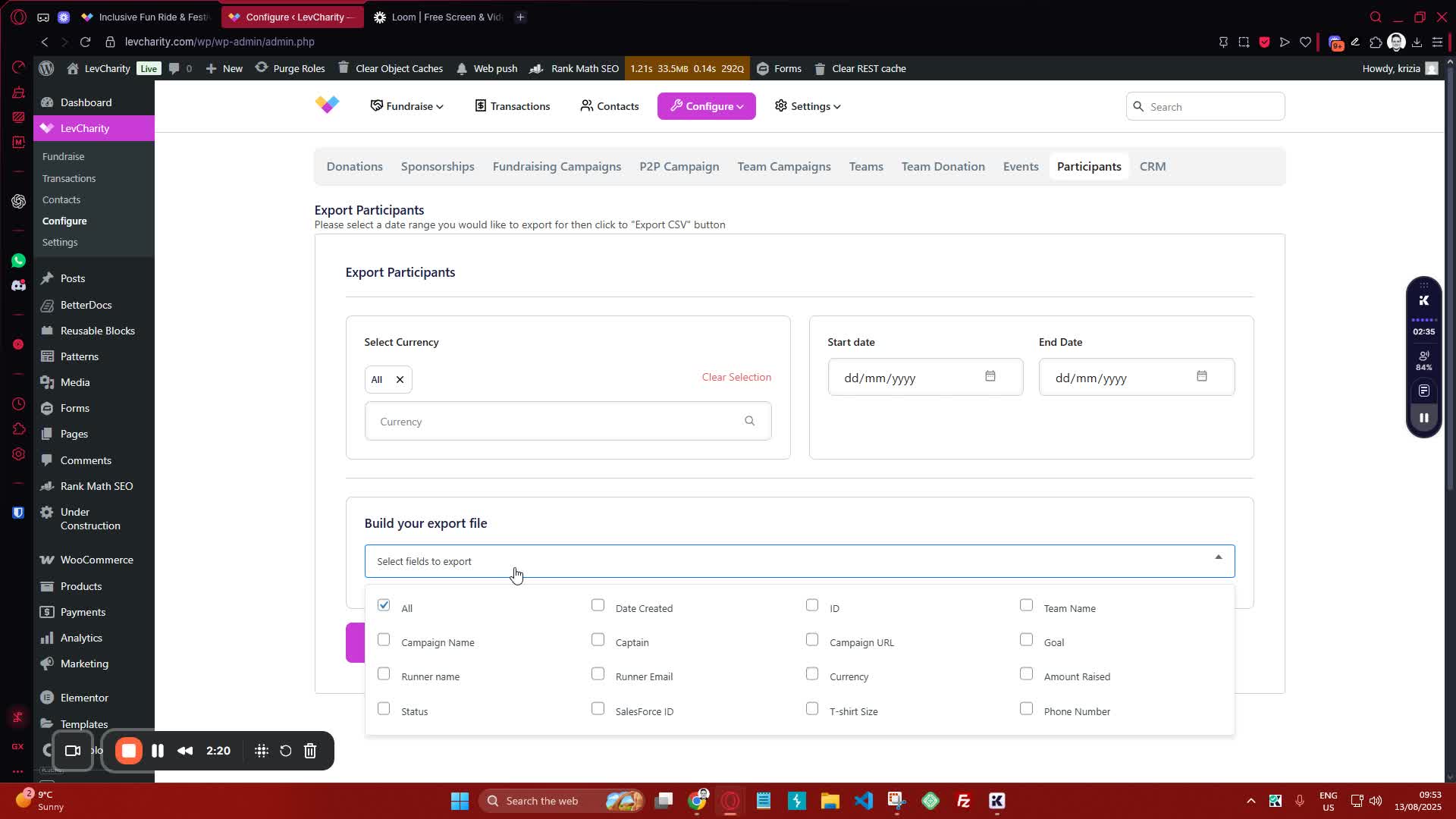
generated-image-at-00:02:21
  • To get a list of all participants:
    • Choose the option for participants.
    • This will include:
      • All signed-up participants
      • Captains
      • Individuals running by themselves.

Step 7: Build Your Export File 2:37
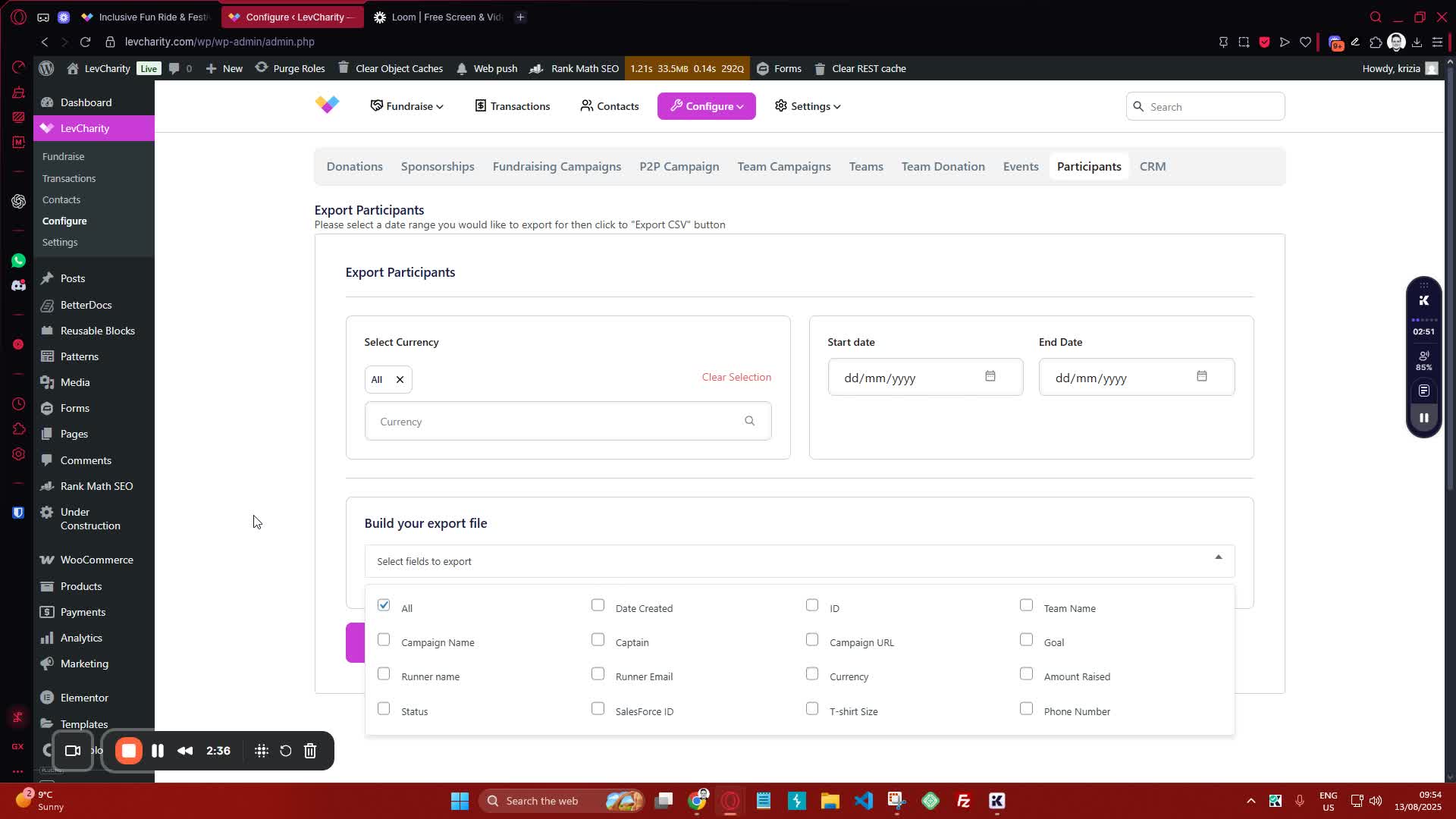
generated-image-at-00:02:37
  • By default, all fields will be selected for export.
  • Review the available fields and adjust selections as necessary.

Step 8: Download the Exported Data 2:50
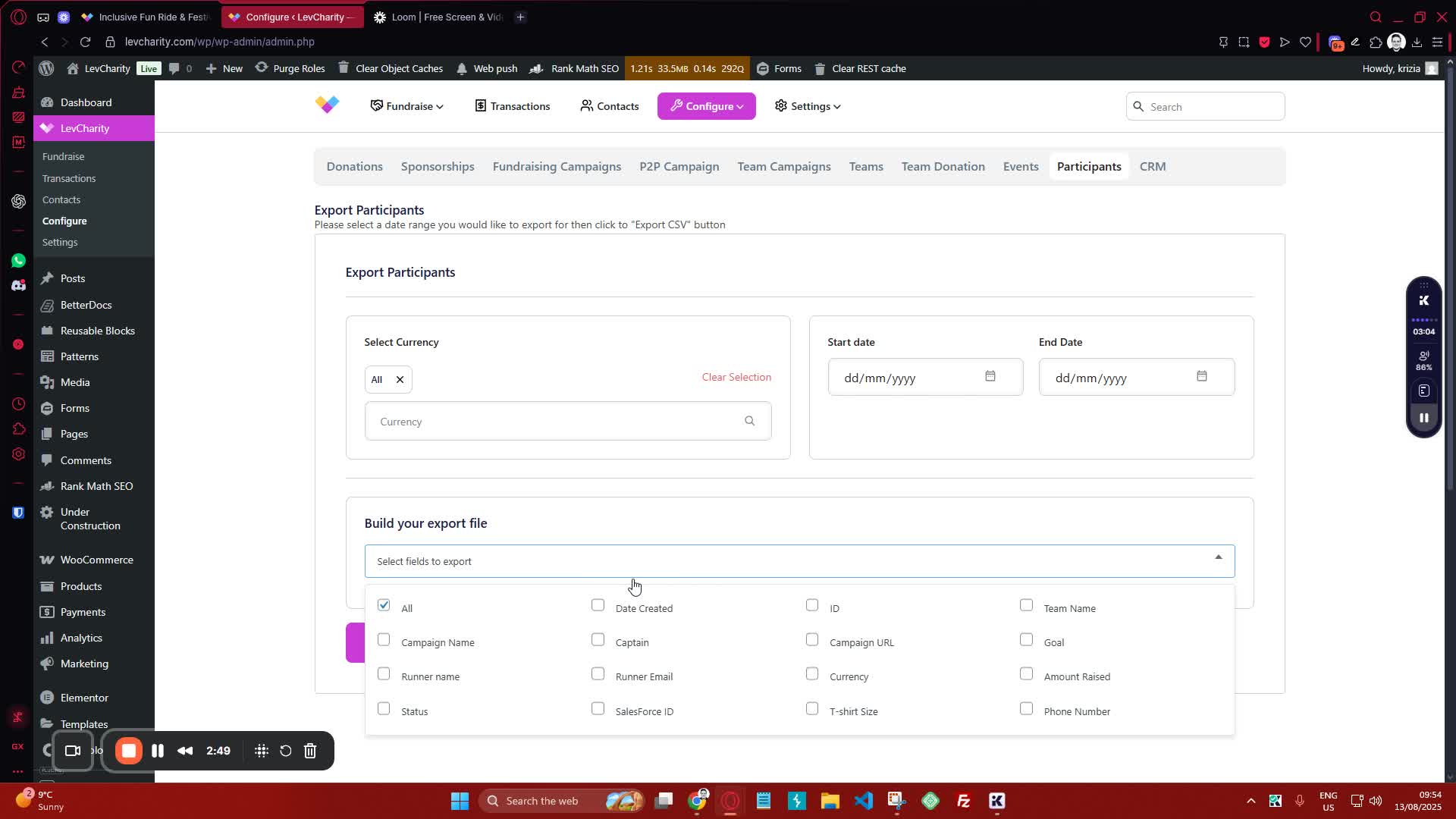
generated-image-at-00:02:50
  • Once you have made your selections, proceed to download the export file.

Cautionary Notes #

  • Ensure you have the necessary permissions to access and export data.
  • Double-check the selected fields before downloading to avoid missing important information.

Tips for Efficiency #

  • Familiarize yourself with the types of exports available to streamline the process.
  • Regularly check for updates or changes in the export options to stay informed.

Link to Loom #

Was this article helpful?
Still not sure? How can we help?

How can we help?

Updated on October 29, 2025
Table of Contents
  • Objective
  • Key Steps
  • Cautionary Notes
  • Tips for Efficiency
  • Link to Loom
Join our newsletter

Add your email to stay up to date on features and new releases:

[sibwp_form id=1]
  • Docs
  • Changelog
  • Privacy Policy
  • Terms of Service
  • Cookies Settings
  • Docs
  • Changelog
  • Privacy Policy
  • Terms of Service
  • Cookies Settings